Where did your disk space go?
One command makes a clear, honest report of what's filling your Mac, including duplicate copies of big files, with a button that takes you straight to each item in Finder. It doesn't delete anything, and it doesn't upload anything.
curl -fsSL https://junk.report/scan | bashOpen Terminal (Applications › Utilities › Terminal), paste, press Return. It usually takes a few minutes.
GB freed by junk.report users:
What does this command do? (It only reads.)
It does
- Download one script from junk.report and run it as you, with no password and no admin rights.
- Measure folder sizes in your home folder with tools built into every Mac:
du,find,statanddf. - Find duplicates: big files (50 MB and up) with exactly the same size get read and fingerprinted with
md5, on your Mac, to see if they're identical. Reading only. - Write one report,
~/junk-report.html, that only your user account can open, and open it in your browser. - Save a small snapshot of the sizes in the report and your free space in
~/.junk-report/(only you can read it), so next time the report can show what you freed. It stays on your Mac. - For up to 30 minutes, keep a small helper running on
127.0.0.1(this Mac only) so the report's "Show in Finder" buttons work. It only opens Finder on items listed in your report, needs a random one-time key, and stops when you close the Terminal window or press Control-C.
It never
- deletes, moves or changes any of your files
- sends anything over the internet (the report page itself is blocked from loading anything). The only exceptions are two buttons you'd have to click yourself: "Post on X" and "Add my GB to the total", which sends a single number.
- asks for your password or uses
sudo - installs anything, including Python, Homebrew or Xcode tools
Rather read it before you run it?
1
curl -fsSL https://junk.report/scan -o junk-scan.sh2
less junk-scan.sh3
bash junk-scan.shOr read it in your browser, line by line: junk.report/scan (plain text).
macOS may ask whether Terminal can open folders like Downloads or Documents. Saying "Don't Allow" is fine; that folder just gets skipped.
What you get
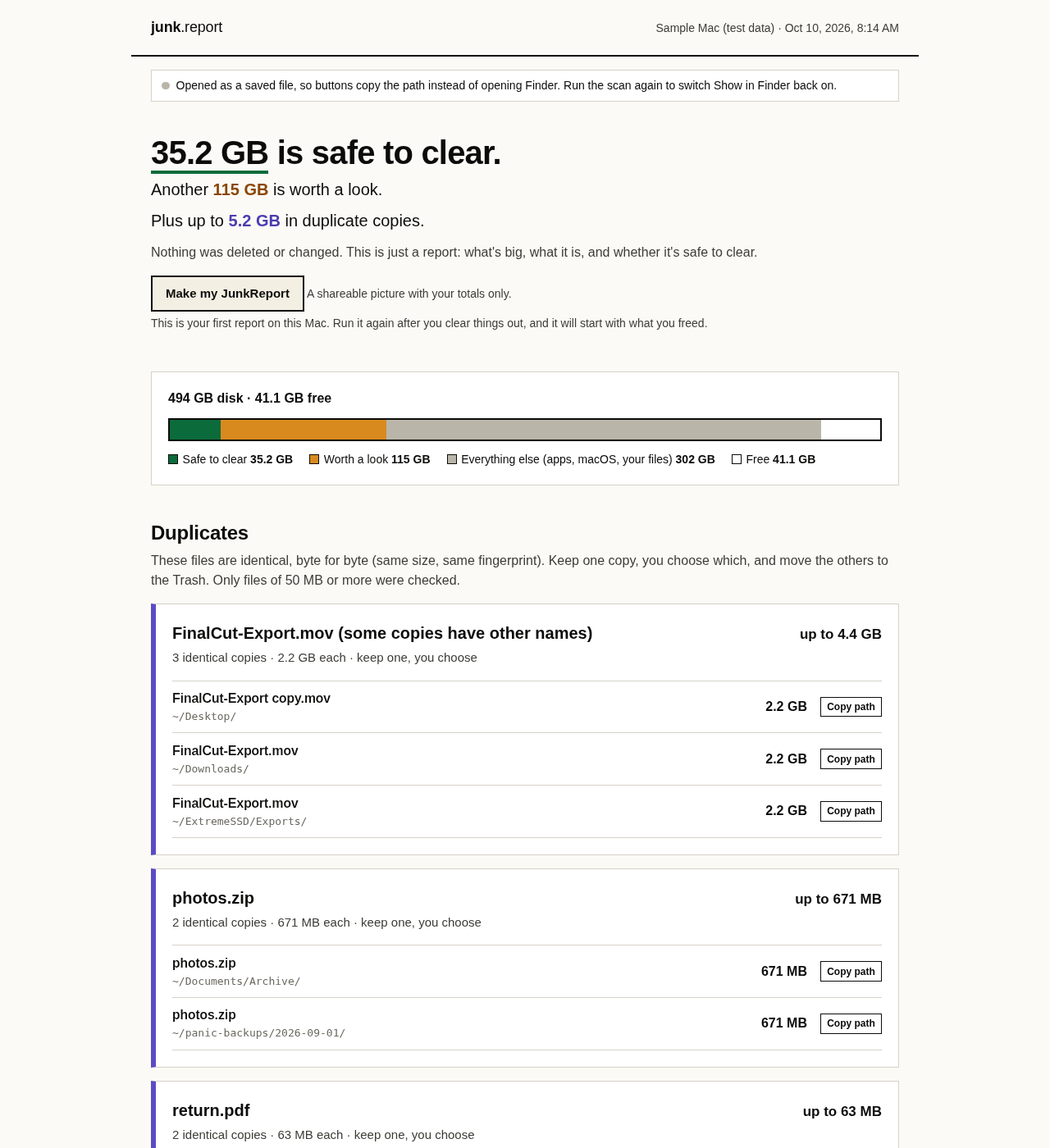
One honest numberHow much is safe to clear (it rebuilds itself or you already threw it away), how much is worth a look, and how much is duplicate copies. Kept separate.
Plain EnglishFor each pile: what it is, whether it's safe to clear, and how to do it the right way.
DuplicatesBig files you have two or more identical copies of, wherever they are: Downloads, Desktop, backup folders, iCloud Drive. Keep one, you choose which.
What you freedRun it again later and the report starts with what you cleared since last time, and how much free space changed.
A card to share"Make my JunkReport" draws a picture with your totals only: no file names, no username. Untick anything before you save it.
Show in FinderEvery big folder and file has a button that opens Finder right on it. You decide what goes.
Where it looks
- App caches
- Trash
- Downloads and Movies
- iPhone & iPad backups
- Xcode build files, device support, archives
- iOS simulators
- Docker, OrbStack, Colima
- AI models (Ollama, LM Studio, Hugging Face)
- node_modules folders
- Homebrew and other developer caches
- Mail attachments
- iCloud Drive downloads
- App support files, including ones left behind
- Your biggest single files
- Duplicate copies of big files
The privacy promise
- Everything happens on your Mac. Nothing about your files is sent to us or anyone.
- No account, no email address, no tracking.
- Want to add your freed GB to the public total? That's a button you click, and it sends one number: the GB. Nothing else from your report.
- The report is a file you own. Keep it, share it, or delete it.
- The script is plain text with comments in plain English. Read it before you run it.